


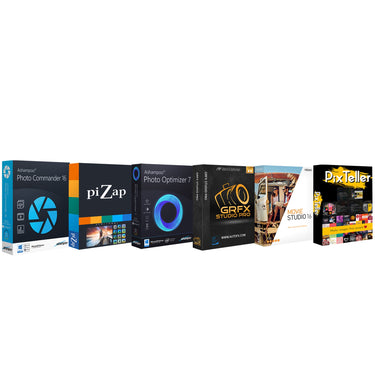





Tech Smart USA Photo and Video Professional Editing Suite
- DIGITAL DOWNLOADS:
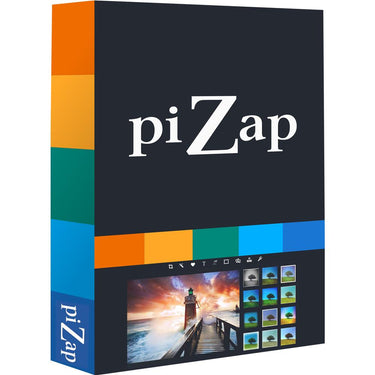
piZap PRO
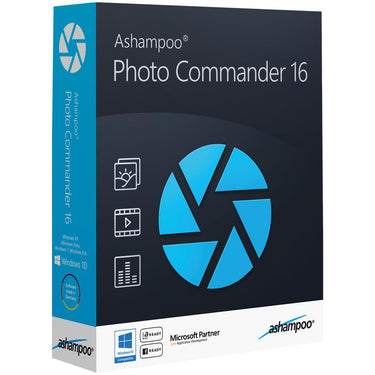
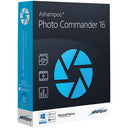
Ashampoo Photo Commander 16
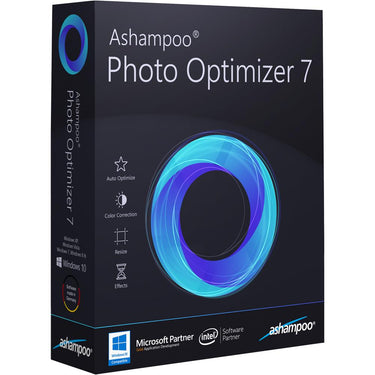
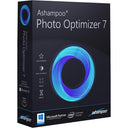
Ashampoo Photo Optimizer 7
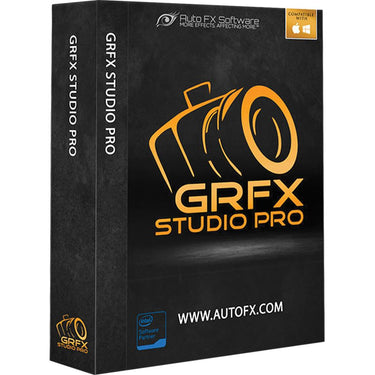
GRFX Studio Pro
PixTeller Lifetime 1-User
Vegas Movie Studio 16
 Tech Smart USA Photo and Video Professional Editing Suite
/

Pickup available at 80 Carter Drive
Usually ready in 24 hours
Your payment information is processed securely. We do not store credit card details nor have access to your credit card information.
What's In The Box
- These are Digital Downloads (not CD format)
- piZap PRO
- Ashampoo Photo Commander 16
- GRFX Studio Pro
- PixTeller Lifetime 1-User
- Vegas Movie Studio 16
- Replay Capture Suite
- OfficeSuite
- Compatible with PC only
Free Shipping
Free ground shipping is available to home addresses in the contiguous United States. PO Boxes, Alaska, Hawaii, US Territories (including Puerto Rico), APO/FPO and addresses outside the United States are not eligible for free shipping.
FedEx Shipping
All merchandise except for oversized items (e.g. Flat screen LED TVs over 55" and plasma TVs over 51") advertised on Beachcamera.com are usually shipped via FedEx.
All packages shipped from Beachcamera.com require a signature upon delivery. Please arrange for someone to sign for the delivery if you are unable to do so. We recommend that you provide an email address so that we may keep you informed of the status of your order and send you tracking information. You will be able to track your order online or by phone for an estimated time of arrival. FedEx will attempt to deliver your package three times before returning it to Beachcamera.com
United States Postal Service (USPS) Shipping
Small items such as memory cards may be shipped by the Post Office.
If the destination address is a PO Box or an APO/FPO, we will ship your order via USPS since FedEx is unable to deliver to those destinations. We will provide tracking information via email after your order has shipped. Items delivered to a PO Box or an APO/FPO will be delivered in 7 - 10 business days. Final delivery for APO/FPO destinations will be subject to the Terms and Conditions of the APO/FPO services. Not all items can be shipped via USPS. Some items that are shipped via USPS may be subject to an additional shipping charge. If necessary, Beachcamera.com will contact you before the order is processed.
Oversized Merchandise Shipping
Oversized merchandise (Flat screen LED TVs over 55", plasma TVs over 51", BBQ Grills & Furniture) are shipped via a motor freight carrier that specializes in Home Delivery. Since these items are large and fragile, special handling is required, and cannot be shipped via our standard shipping options.
We take every precaution during our shipping preparation process to ensure that your order arrives to you in perfect condition. Each item on your order is scanned for accuracy of model and serial number. We apply large orange fragile sticker labels to notify the carrier that your shipment is fragile and requires special handling. The labels also include important step-by-step instructions on how to inspect and sign for your shipment. In addition to the manufacturer's standard foam and corrugated packaging, we also apply a special shock absorption polyethylene material to the outer carton of every TV. This safeguard will disperse energy from impact during transit, and eliminate damage to the product itself. Our professional appointment-based delivery service allows you to open and inspect your new TV prior to signing and accepting the TV. When you purchase a TV at Beachcamera.com, you can be sure that it will arrive perfect working order, and will remain that way for a long time to come.
Non-Deliverable Addresses
We are unable to delivery to the following addresses:
- Mail box drop off locations
- Hotels and motels
- Trade Shows, Conventions, Conferences
Standard Return Policy
We want you to love the items you purchase from Beachcamera.com. If you are not satisfied with your purchase for any reason, you may return items for a full refund within 45 days, subject to the conditions below.
- Returned merchandise must be in original condition and include all factory packed accessories and paperwork (e.g. battery, charger, cords, straps, unmarked warranty card, manuals, etc.), in the original manufacturer box and packaging with UPC, barcode, and serial number intact.
- Incomplete returns will receive a reduced credit, reflecting any missing peripherals.
- The product serial number must match the serial number in our database. Beachcamera.com maintains serial number tracking.
- We require that all approved returns of computers, tablets, and similar devices have the password removed or restored to the system default.
- Return merchandise must be double-boxed with no writing on the manufacturer's box. Your Return Authorization number should be prominently displayed on the outside of the shipping box.
You must contact our customer service department to arrange a return. All returns must be shipped to the following address:
BTC Beach Camera Returns
80 Carter Drive
Edison, NJ 08817
You must include the RA number issued to you by customer service, please be sure to write this number clearly on the return box.
Please be sure to save the shipment tracking number for your return. Merchandise lost or damaged during shipping is the shipper's responsibility.
Televisions over 65" must be returned via one of our Home Delivery Partners. Please contact us to schedule a pickup for your large TV return.
If your return is not the result of our error, the return shipping costs are the responsibility of the customer.
Television Returns
Buyer's Remorse for TVs in Brand New condition:
If you are not 100% satisfied with your TV purchase, you may return it within 30 days from delivery for a full refund, less return shipping fees. Please note that a 15% restocking fee may apply. All returned TVs must be in their original box and include all packing material, manuals, and accessories.
Damages:
We're here to help!
For Common Deliveries (FedEx, UPS):
Please inspect the TV and report any damages (e.g. cracked screen, scratches, dents, etc.) within 2 days by contacting us at 1.800.572.3224
For Special Handling/Freight deliveries:
Please open and inspect the TV prior to signing for it. If the TV is cracked or damaged, please refuse delivery and contact us immediately at 1.800.572.3224 .
Please note damage claims will be denied for the following:
- TVs with over 60 minutes of recorded usage
- TVs that have been moved from the original delivery address
All damage claims must be made within two (2) days of delivery. We will issue a refund and cover all shipping costs.
Manufacturer Defects:
Your TV is fully covered under your in-home one year Manufacturer's Warranty service. If any further assistance is needed, please contact us. *Open-Box units are covered under our in-house 90 day warranty.
Drones Returns
All defects can be handled under the manufacturer's warranty. For DJI brand drones, call DJI at 818-235-0789 and obtain a case number for the defect prior to requesting an RMA. Please note only Dead on Arrival units out of the box will be returnable to us (with a valid case number). DJI will NOT authorize any returns to us if there are any signs of use like dirt, grass stains, nicks or any signs of use. For these situations, the Return Authorization would need to be handled directly between the customer & DJI
Exceptions
- Mattresses
- Opened or Downloadable Software
- Consumables, including batteries, paper and ink
- Opened packages of Apparel, Bedding or Linens
- Used Cookwear and BBQ Grills
- Personal Body Massagers/Shavers
- Special order items
- Refunds
Refunds for returns are applied to the payment method used at the time of purchase. Once we receive and inspect the product we will credit your account. Please allow 5-7 business days for a credit to appear on your account.
Product Exchanges
If you purchased a product from Beachcamera.com that you wish to exchange for an alternative, you can return the item for a full refund and simply place a new order for the item you desire. A refund credit cannot be applied to a new purchase.
Defective Items
An item that was discovered to be defective upon receipt can be replaced or returned for a full refund.
Damage or Missing Items
Claims for items damaged in transit or missing items must be received within two business days of receipt of the shipment.
Replacement
We will send a product replacement after the authorized return has completed our receiving/inspection process. The replacement will ship within four business days following the receipt of your return. Please allow for additional processing time after holidays.
Although it is our goal to ship a replacement as quickly as possible, a replacement cannot be shipped before we receive and inspect the return. To receive a replacement more quickly, you may place a new order for the same item (shipping not included) and we will issue a refund for the full value of the returned product (including shipping) upon completion of our return process.
Product Details
Tech Smart USA Photo and Video Professional Editing Suite
Get the most out of piZap with piZap PRO. You get loads of extra fonts, stickers, and filters. Zap all those annoying ads, and save your work at the highest quality. A vast array of fonts, graphics and other goodies for your photo editing pleasure. The fun doesn't stop with eding photos and making collages. Use piZap to make hilarious MEME's, design custom emoji, and slice and dice photos with the Cut-Out Tool. You don't need to be a Photoshop expert to have fun editing your digital photos. With piZap you can start right away without ever reading a manual or taking a class. 1 Year Offer
Photo Editor, Collage Maker, Design Tool
- Over 50 million users and loaded with fonts, filters, stickers and more!
-
Thousands of stickers & borders
-
Add text, borders & stickers
-
Crop, adjust levels, frames,
-
Over 100 unique filters.
- Clone tool, cut-out tool, paint and more.
- Fab filters & effects
Collage Maker
Craft the perfect collage with piZap’s easy-to-use Collage Maker. Choose from over 1000 designs.
Edit photos, make collages, make memes and more.
- 1000's of colorful stickers, sweet fonts, and amazing filters!
- MEME maker, Cut-out tool & design your own emoji!
- Cut-Out Tool
- Emoji Maker - Design your own emoji
Ashampoo Photo Commander 16
The new Ashampoo Photo Commander 16 is the complete solution to view, present, edit and organize your photos. Over 200 features cover all common image processing tasks. Bring order to your collection, optimize multiple images in one go and create calendars, photo cards and entire slideshows with ease. Whether you're a beginner, novice or professional photographer, excellent results are always just a few clicks away.
- Screenshot photo commander photo optimizer
- Create collages, calendars and photo cards
- Screenshot photo commander slideshows card calendars
- Set, use and edit geotags
- Crop and edit photos
New file filters enable you to track down photos more efficiently, e.g. by combining location and time-based searches! The flexible group view allows you to instantly select files and preview their EXIF data in the new status bar. Seasoned photographers will appreciate the new decade view that provides a completely new look on their photo collections.
Design and rescue photos
Unleash your creativity with Ashampoo Photo Commander 16! The newly developed panorama function creates breath-taking widescreen images. A built-in automatic takes care of overexposed or faded images for excellent results every time. Multiple included motifs make it incredibly easy to create cards for every occasion.
Set new trends with PNG
PNG is already one of the most common image formats on the Internet with PNG animations posing an interesting alternative to GIF animations. Ashampoo Photo Commander can drastically reduce the file sizes of PNGs to save space and traffic particularly on mobile devices. Animations can also be quickly created, converted or extracted.
Customer wishes fulfilled
We heard you. EXIF and IPTC metadata is now displayed in the status bar and freely editable and exportable. The popular duplicate file finder has been greatly accelerated. Multiple pages can now be scanned in one go and converted into PDF if needed. The always important zoom feature has also been sped up significantly.
Ashampoo Photo Optimizer 7
The secret of the new Photo Optimizer lies in its incredible image optimization technology. Every image is extensively analyzed to detect potential flaws. Dull colors, incorrect exposure settings or color temperature - Photo Optimizer's advanced algorithms finds them all! For the first time, white balance and contrast stretch settings are now auto-adjusted! Once analyzed, the program breathes new life into your images with superior sharpness and vibrant colors - just like a good photo should be. Experience the power of Photo Optimizer and make your photos shine again!
Comfortable batch processing
Save time and optimize entire batches of images in one go. Whether from various sources or one giant folder, Photo Optimizer meticulously analyzes every single image and enhances it. Achieve brilliant results without the need to look at and process every image individually!
White balancing and contrast stretching included
White balancing is the linchpin of color temperature and especially digital cameras tend to introduce a bluish cast that makes colors feel cold. Low-contrast images, as often found in digital photography, can be improved through contrast stretching. Both features are now included in auto-optimization and kick in automatically to enhance your photos!
Natural-looking portrait enhancements
Faces are at the core of many photos yet they seldom come out as intended! Photo Optimizer removes red eyes and whitens teeth either automatically or based on manual settings for that perfect smile. The handy stain remover and cloning tool are ideal to get rid of other minor blemishes. Create perfect and natural-looking portraits in just a few clicks!
Handy export options
Great photos need to be seen. Naturally, Photo Optimizer supports image distribution via email or free Ashampoo Web upload to share your gems with others. You can also set especially beautiful images as desktop backgrounds or create high-quality printouts with the feature-rich print dialog.
GRFX Studio Pro
Combine and create thousands of the most popular Photo FX today with one-click and a second of your time. Now you have the photographers best weapon against mediocrity and one of the most excellent tools for creative stimulation. Click your way to achieve some of the most challenging photo effects with ease and more importantly get them at lightning speed. Take your photos to heights you never dreamed possible.
Combine and create thousands of the most popular Photo FX today with one-click and a second of your time. Now you have the photographers best weapon against mediocrity and one of the most excellent tools for creative stimulation. Click your way to achieve some of the most challenging photo effects with ease and more importantly get them at lightning speed.
Contains 530 digital image effects in one product suite. Control and enhance many aspects needed in digital photography such as Light, Color, Sharpen, Blur and Black & White. Contains over 400 edge effects to finish your photos with edge wipes that give your digital images that unique and personalized touch. Apply customized and unique effects like Double Exposure and Bokeh Brush effects. Add Light Beams, Hatch Flares and Lens Flares to any digital image with one click. Additional brush and ellipse tools allow you to place your photo effects exactly where you want them.
PixTeller Lifetime 1-User
Create your own designs for Social Media, Website, Blog, Covers, Flyers, Invitations, Presentations and more.Create stunning content anywhere, anytime using the world's most powerful online design tool. With no design or technical know-how required, PixTeller lets you create and customize images for use on websites, social media, print, and the like. Whether you're promoting a new product or building a brand, PixTeller lets you skip the expensive software and start producing your own content with 74,000 pre-made designs, 1.5 million photos, and 100,000 shapes. Tap into PixTeller's collection of fonts, gradients, and tools; and transform your idea into an incredible image.
- Create & customize your own designs with zero technical experience required
- Choose from 74,000+ continuously growing designs & customize to your liking
- Search & choose from 1.5 million photos to use or upload your own
- Access 100,000 shapes to build your designs
- Select between solid, linear or radial gradients & create stunning content
- Make your images look great at any dimension w/ the clipping-crop function
Vegas Movie Studio 16
VEGAS Movie Studio 16 provides everything you need to create beautiful videos with the footage from your camcorder or mobile device. The mode-based workflow guides you through simple steps to turn your footage into great movies with titles, transitions, video effects, and more. Assemble your videos fast with easy arrangement techniques in the innovative interactive storyboard window. Innovative, powerful, and easy to learn and use-nothing helps you create like VEGAS Movie Studio 16
Guided Video Creator
Create your videos while VEGAS Movie Studio 16 guides you from start to finish. Arrange your clips, add music and a title, then finish and deliver, all in a guided workflow - always with the option to take full control in your timeline.
Clear, mode-based workflows
Move between specialized user interfaces to import files, add graphics, apply effects, add transitions, and finish your movie. Or switch to Power User mode for complete access to all of your tools.
Interactive storyboard editing
Assemble your videos quickly and intuitively with a storyboard. Lay out, trim, and rearrange your clips in the storyboard, and watch as the additions and changes you make are updated on the Main Timeline automatically. A great way for rough cutting and fast edits.
Hover scrub
Scrub through your video thumbnails right down to exact frames, and find the important parts of your video before you add it to the project. Simply move the cursor over the thumbnail to find any frame.
In/out points
Set in and out points for any of your media files before you add them to your project. Add the file to your project, and the timeline automatically trims the event to the in/out points you set. You can still re-trim to the full length of the media file on the timeline.
Resizable thumbnails
Resize thumbnails to see more detail and hover scrub to exact frames more easily. A larger thumbnail means you can scrub and pinpoint specific frames more precisely to accurately mark in and out points.
Preview multiple selected files
Select multiple clips in Project Media and preview each in sequence with a single play. Combine with the storyboard and in/out points for a fast, powerful way to make and preview a rough edit even before you work in the timeline.
Easily moving footage into your project
Your project in one convenient location. Whether you use a tape- or file-based video camera, you can easily move the footage you've shot from the tape or card to your computer hard drive and into your project.
Support for 4K media
Import, edit, and deliver in Standard Definition, High Definition, or beautiful Ultra High Definition. VEGAS Movie Studio enables you to edit the files natively. No re-rendering or re-wrapping.
Compatible with PC only*


