


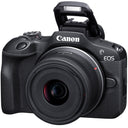

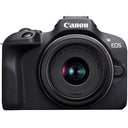
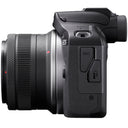
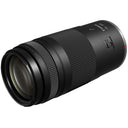
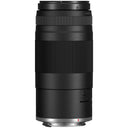

Canon EOS R100 4K Camera Double Zoom Lens + RF-S18-45mm & RF75-300mm
- 24.1 MP APS-C sensor for detailed images
- RF-S18-45 mm covers 29-72 mm equivalent
- RF75-300 mm offers 120-480 mm reach
- Includes Shoulder Bag 200 ES protection
- Canon Authorized Limited Warranty
 Canon EOS R100 4K Camera Double Zoom Lens + RF-S18-45mm & RF75-300mm
Price unavailable
Canon EOS R100 4K Camera Double Zoom Lens + RF-S18-45mm & RF75-300mm
Price unavailable

Pickup currently unavailable at 80 Carter Drive
Your payment information is processed securely. We do not store credit card details nor have access to your credit card information.
What's In The Box
- EOS R100 Mirrorless Camera
- RF75-300mm F4-5.6 Lens
- RF-S18-45mm F4.5-6.3 IS STM Lens
- ES-200 Camera Bag
- Canon Authorized Limited Warranty
Free Shipping
Free ground shipping is available to home addresses in the contiguous United States. PO Boxes, Alaska, Hawaii, US Territories (including Puerto Rico), APO/FPO and addresses outside the United States are not eligible for free shipping.
FedEx Shipping
All merchandise except for oversized items (e.g. Flat screen LED TVs over 55" and plasma TVs over 51") advertised on Beachcamera.com are usually shipped via FedEx.
All packages shipped from Beachcamera.com require a signature upon delivery. Please arrange for someone to sign for the delivery if you are unable to do so. We recommend that you provide an email address so that we may keep you informed of the status of your order and send you tracking information. You will be able to track your order online or by phone for an estimated time of arrival. FedEx will attempt to deliver your package three times before returning it to Beachcamera.com
United States Postal Service (USPS) Shipping
Small items such as memory cards may be shipped by the Post Office.
If the destination address is a PO Box or an APO/FPO, we will ship your order via USPS since FedEx is unable to deliver to those destinations. We will provide tracking information via email after your order has shipped. Items delivered to a PO Box or an APO/FPO will be delivered in 7 - 10 business days. Final delivery for APO/FPO destinations will be subject to the Terms and Conditions of the APO/FPO services. Not all items can be shipped via USPS. Some items that are shipped via USPS may be subject to an additional shipping charge. If necessary, Beachcamera.com will contact you before the order is processed.
Oversized Merchandise Shipping
Oversized merchandise (Flat screen LED TVs over 55", plasma TVs over 51", BBQ Grills & Furniture) are shipped via a motor freight carrier that specializes in Home Delivery. Since these items are large and fragile, special handling is required, and cannot be shipped via our standard shipping options.
We take every precaution during our shipping preparation process to ensure that your order arrives to you in perfect condition. Each item on your order is scanned for accuracy of model and serial number. We apply large orange fragile sticker labels to notify the carrier that your shipment is fragile and requires special handling. The labels also include important step-by-step instructions on how to inspect and sign for your shipment. In addition to the manufacturer's standard foam and corrugated packaging, we also apply a special shock absorption polyethylene material to the outer carton of every TV. This safeguard will disperse energy from impact during transit, and eliminate damage to the product itself. Our professional appointment-based delivery service allows you to open and inspect your new TV prior to signing and accepting the TV. When you purchase a TV at Beachcamera.com, you can be sure that it will arrive perfect working order, and will remain that way for a long time to come.
Non-Deliverable Addresses
We are unable to delivery to the following addresses:
- Mail box drop off locations
- Hotels and motels
- Trade Shows, Conventions, Conferences
Standard Return Policy
We want you to love the items you purchase from Beachcamera.com. If you are not satisfied with your purchase for any reason, you may return items for a full refund within 45 days, subject to the conditions below.
- Returned merchandise must be in original condition and include all factory packed accessories and paperwork (e.g. battery, charger, cords, straps, unmarked warranty card, manuals, etc.), in the original manufacturer box and packaging with UPC, barcode, and serial number intact.
- Incomplete returns will receive a reduced credit, reflecting any missing peripherals.
- The product serial number must match the serial number in our database. Beachcamera.com maintains serial number tracking.
- We require that all approved returns of computers, tablets, and similar devices have the password removed or restored to the system default.
- Return merchandise must be double-boxed with no writing on the manufacturer's box. Your Return Authorization number should be prominently displayed on the outside of the shipping box.
You must contact our customer service department to arrange a return. All returns must be shipped to the following address:
BTC Beach Camera Returns
80 Carter Drive
Edison, NJ 08817
You must include the RA number issued to you by customer service, please be sure to write this number clearly on the return box.
Please be sure to save the shipment tracking number for your return. Merchandise lost or damaged during shipping is the shipper's responsibility.
Televisions over 65" must be returned via one of our Home Delivery Partners. Please contact us to schedule a pickup for your large TV return.
If your return is not the result of our error, the return shipping costs are the responsibility of the customer.
Television Returns
Buyer's Remorse for TVs in Brand New condition:
If you are not 100% satisfied with your TV purchase, you may return it within 30 days from delivery for a full refund, less return shipping fees. Please note that a 15% restocking fee may apply. All returned TVs must be in their original box and include all packing material, manuals, and accessories.
Damages:
We're here to help!
For Common Deliveries (FedEx, UPS):
Please inspect the TV and report any damages (e.g. cracked screen, scratches, dents, etc.) within 2 days by contacting us at 1.800.572.3224
For Special Handling/Freight deliveries:
Please open and inspect the TV prior to signing for it. If the TV is cracked or damaged, please refuse delivery and contact us immediately at 1.800.572.3224 .
Please note damage claims will be denied for the following:
- TVs with over 60 minutes of recorded usage
- TVs that have been moved from the original delivery address
All damage claims must be made within two (2) days of delivery. We will issue a refund and cover all shipping costs.
Manufacturer Defects:
Your TV is fully covered under your in-home one year Manufacturer's Warranty service. If any further assistance is needed, please contact us. *Open-Box units are covered under our in-house 90 day warranty.
Drones Returns
All defects can be handled under the manufacturer's warranty. For DJI brand drones, call DJI at 818-235-0789 and obtain a case number for the defect prior to requesting an RMA. Please note only Dead on Arrival units out of the box will be returnable to us (with a valid case number). DJI will NOT authorize any returns to us if there are any signs of use like dirt, grass stains, nicks or any signs of use. For these situations, the Return Authorization would need to be handled directly between the customer & DJI
Exceptions
- Mattresses
- Opened or Downloadable Software
- Consumables, including batteries, paper and ink
- Opened packages of Apparel, Bedding or Linens
- Used Cookwear and BBQ Grills
- Personal Body Massagers/Shavers
- Special order items
- Refunds
Refunds for returns are applied to the payment method used at the time of purchase. Once we receive and inspect the product we will credit your account. Please allow 5-7 business days for a credit to appear on your account.
Product Exchanges
If you purchased a product from Beachcamera.com that you wish to exchange for an alternative, you can return the item for a full refund and simply place a new order for the item you desire. A refund credit cannot be applied to a new purchase.
Defective Items
An item that was discovered to be defective upon receipt can be replaced or returned for a full refund.
Damage or Missing Items
Claims for items damaged in transit or missing items must be received within two business days of receipt of the shipment.
Replacement
We will send a product replacement after the authorized return has completed our receiving/inspection process. The replacement will ship within four business days following the receipt of your return. Please allow for additional processing time after holidays.
Although it is our goal to ship a replacement as quickly as possible, a replacement cannot be shipped before we receive and inspect the return. To receive a replacement more quickly, you may place a new order for the same item (shipping not included) and we will issue a refund for the full value of the returned product (including shipping) upon completion of our return process.
Product Details
EOS R100 Double Zoom Lens Kit
This kit includes an EOS R100 camera, the RF-S18-45mm F4.5-6.3 IS STM lens, the RF75-300mm F4-5.6 lens and a convenient camera bag to accompany you on your travels. With two lenses providing you with versatility, you can capture close-range imagery with the standard zoom lens like family photos, pet portraits, and daily snapshots on your vacation, as well as distant subjects like sporting events, airshows, and wildlife, with beautiful background blur using the telephoto zoom lens.
Product Highlight:
EOS R100 Mirrorless camera with 24.1 MP APS-C sensor.
RF75-300mm F4-5.6 telephoto zoom lens (35mm equivalent Approx. 120-480mm).
RF-S18-45mm F4.5-6.3 lens (35mm equivalent Approx. 29-72mm).
Shoulder Bag 200 ES provides a compact and protective environment for carrying around a pair of lenses.
Excellent introduction lenses to telephoto (zoom) shooting.
Accessible and affordable double zoom lens kit and carrying case.
Long focal lengths provide professional looking background blur and compression with the zoom lens.
Powerful magnification to pull subjects in close.
Product Feature:
24.1 Megapixel (APS-C) CMOS Sensor
The EOS R100 is equipped with a 24.1-million-pixel CMOS (APS-C) image sensor and DIGIC 8 Image Processor. With a significantly larger sensor size than many smartphones, this camera can capture images with natural bokeh for beautiful background blur, great color, and low noise. Images look stunning even when enlarged, with fine details reproduced with clarity.
Capture Bright Images Indoors without Flash
Taking advantage of its sensor size, the EOS R100 can take high-sensitivity and low-noise images that capture the atmosphere, even in low-light conditions. That way you can take images at fast shutter speeds to minimize capture shake and subject blur.
Dual Pixel CMOS AF and Eye Detection AF
Dual Pixel CMOS AF* provides fast, accurate autofocus that helps you get the photo you want right as the moment happens. The EOS R100 features an expansive focus area that covers up to approximately 88% horizontal and 100% vertical of the picture area, breaking the image up to 143 AF area zones during auto selection. With the EOS R100, you can easily capture your subject quickly with the Eye Detection AF — allowing you to shoot even when the subject is far away. Eye Detection AF can also be used when the subject's full body is in frame, to lock on the eyes from a further distance.
Continuous Shooting
Capture those can’t-miss moments with up to 6.5 shots per second continuous shooting when set to One-Shot AF. This allows you to capture those momentary changes in facial expressions that are easy-to-miss.
Creative Assist and Creative Filters
Take photos in your style with similar intuitive usability of a smartphone app with the EOS R100. Creative Assist allows you to take on the challenge of image creation while in Auto Mode by changing settings such as “background blur,” “brightness,” and “saturation” easily and in real time on the Live View screen.
Creative Filters on the EOS R100 allows you to select various effects from your favorite filters just like a smartphone app during shooting or playback, so you can easily capture impressive photos to share!
Silent Mode for Quiet Operation
Capture life’s moments without worrying about distracting them with Silent Mode on the EOS R100. Whether you are at your child’s recital, or your newborn baby is sleeping, the camera’s Silent Mode ensures you don’t startle your subject by enabling capture with virtually no shutter sound and preventing flash.
High-Definition Video
With the help of the 24.1 Megapixel CMOS (APS-C) sensor, the EOS R100 can record high-quality 4K movies at up to 24 frames per second, or Full HD movies at up to 60 frames per second. By pairing the camera with a variety of RF lenses, you can express yourself by capturing videos with blurred backgrounds, in dark settings, or using various techniques that would be challenging with smartphones.
Smooth Slow-Motion Videos
HD movies can also be recorded at a high-frame rate of approx. 120 frames per second — ideal for smooth, slow-motion playback of videos. Designed to capture fun, beautifully detailed videos, the EOS R100 helps ensure you don’t miss any of the unique expressions of your friends’ or family's faces.
Compact, Lightweight Body
The EOS R100 camera is the smallest and lightest camera in the EOS R series. Although it is compact and lightweight, the camera features a grip that provides a professional feel and steady hold while shooting. Whether for travel, everyday snapshots, or long-lasting still image or video shoots, you can easily enjoy taking it anywhere.
Precise Electronic Viewfinder
The EOS R100 is equipped with a high-precision 0.39-inch OLED (Organic Light-Emitting Diode) EVF with approx. 2.36 million dots which displays a bright image and extensive shooting information. The EVF has been designed to provide a bright, sharp, and colorful approximate 100% view of the subject at hand.
Built-in Bluetooth® Capability
Bluetooth® pairing helps you connect the camera to compatible smart devices using the free Canon Camera Connect app. This low-energy wireless connection helps preserve battery life while providing remote control of the camera. It also sends continuously updated GPS location data from your phone, letting you geotag what you've captured so you know precisely where you captured the photo.
Built-in Wi-Fi Capability
Enable wireless functions, such as remote live view, file viewing and transfer, by connecting to Wi-Fi quickly and seamlessly. Using the Canon Camera Connect app, you can also transfer files to your compatible mobile device to browse and share on social media.
Supercharge Your Stop Motion Animation
Stop Motion Animation firmware increases your Live View resolution to 1920x1280 from Canon’s normal of 960x640 when connecting to compatible stop motion animation software, like Dragonframe. This makes it easy for animators to confirm focus and movement within every frame. Other features include Live View Manual Focus Peaking, Focus Position Memory, and Aperture Lock.
RF75-300mm F4-5.6 Lens
The RF75-300mm F4-5.6 brings approachability to zoom shooting. An impressive zoom range of 75-300mm (35mm equivalent Approx. 120-480mm) allows you to bring your subject close when you can’t get closer to them, like when watching sports or photographing wildlife. The lens itself is portable and lightweight for a zoom lens of this range making it easy to bring with you on your adventures. For a professional look to your images, nothing matches the compression and background blur you get from a long zoom lens.
RF-S18-45mm F4.5-6.3 IS STM Lens
The RF-S18-45mm F4.5-6.3 IS STM gives you the flexibility you desire without taking up your whole camera bag. This lens was designed with smaller APS-C sensors in mind, and offers 100% x 100% Dual Pixel CMOS AF coverage, .The small size of the RF-S18-45mm F4.5-6.3 IS STM and clever lens retraction mechanism lets it fit just about anywhere, making it a great lens to bring with you on a walk or wherever the day takes you. The lead screw-type stepping motor (STM) helps ensure smooth autofocus and quiet operation, letting you capture videos with great audio and minimal background noise so you won't distract your subject in a quiet photo environment. Optical Image Stabilization provides up to 4 stops of correction, resulting in sharper photos with minimal blur, even in low light situations. When you add all of this together, you get a wonderful, lightweight, and versatile lens that is designed to fit into your life.
Product Specification:
Type
• Compatible with UHS-I
• Eye-Fi cards and Multimedia cards (MMC) are not supported.
* When using Mount Adapter EF-EOS R: Canon EF or EF-S lenses (excluding EF-M lenses)
* Note that control ring of the Control Ring Mount Adaptor EF-EOS R does not function.
* EXTENDER RF1.4x / RF2x is not compatible.
(EXTENDER EF1.4x / EF2x is compatible when used with the Mount Adaptor.)
* RF5.2mm F2.8 L DUAL FISHEYE and RF85mm F1.2 L USM DS are not compatible.
Image Sensor
Manual cleaning (by hand) not supported.
Dust Delete Data acquisition and appending
• The coordinates of the dust adhering to the low-pass filter are detected by a test shot and appended to subsequent images.
• The dust coordinate data appended to the image is used by the EOS software to automatically erase the dust spots.
Recording System
*Supports time offset information
* HEIF not supported.
Movies: ALL-I (Time-lapse video only), IPB (Standard) (.MP4)
* IPB (Light) not supported.
- File numbering methods
- Continuous numbering
- The numbering of captured images continues even after you replace the card.
- Auto reset
- When you replace the card, the numbering will be reset to start from 0001. If the new SD card already contains images, the numbering will continue from the last recorded image in the card.
- Continuous numbering
- Manual reset
- Resets the file number to 0001, and creates a new folder automatically.
* When manually resetting the file number, folders can also be renamed.
- Resets the file number to 0001, and creates a new folder automatically.
- Auto
- Standard
- Portrait
- Landscape
- Fine Detail
- Neutral
- Faithful
- Monochrome
- User Defined 1-3
* Picture Style files can be registered to user-defined settings 1-3.
White Balance
- Auto (Ambience priority/White priority)
- Day Light
- Shade
- Cloudy*1
- Tungsten light
- White fluorescent light
- Flash
- Custom (Custom WB)
- Color temperature*2
*2: With an EX / EL-series Speedlite having the color temperature information transmission feature, the color temperature setting changes to match the color temperature when the flash is fired. Set to approx. 6000 K if the flash unit does not have the color tem-perature communication feature.
Magenta/green bias: ±9 levels
• Shifted from the color temperatue of the current WB mode.
• Blue/amber and magenta/green shift can be set at the same time.
Viewfinder
• Live View + basic information display
• Live View + detailed information display
• Live View + detailed information display + histogram
Autofocus
Stills: Max. 143 zones (13×11)
Movies: Max. 117 zones (13×9)
Stills: Max. 3975 positions (75 × 53)
Movies: Max. 3375 positions (75 × 45)
(With an f/1.2 lens,* center AF point, One-Shot AF at room temperature, and ISO 100)
* Except RF lenses with a Defocus Smoothing (DS) coating
(With an f/1.2 lens,* center AF point, One-Shot AF at room temperature, and ISO 100) * Except RF lenses with a Defocus Smoothing (DS) coating
* During Full HD (29.97/25.00 fps) recording
• Spot AF*1*2
• 1-point AF
• Zone AF*2
*1: Not available in Panning mode.
*2: Not available for 4K movies.
* Some lenses and camera settings may reduce the number of AF areas and zones used.
• The eye closer to the camera is selected (as detected from the angle of the face).
Changed Manually:
• Other eyes can be selected with the left and right cross keys after pressing the AF point selection button.
• Faces are selected when another subject’s eyes cannot be detected.
Exposure Control
(1) Evaluative metering (AF point-linked)
(2) Partial metering (approx. 5.8% of the area at the center of the screen)
(3) Spot metering (approx. 2.9% of the area at the center of the screen)
(4) Center-weighted average metering
Movie Recording: EV 0 to 20
- Scene Intelligent Auto
- Hybrid Auto
- Special Scenes
- Creative Filters
- Program AE
- Shutter-priority AE
- Aperture-priority AE
- Manual Exposure
- Bulb Exposure
- Movie auto exposure
- Movie manual exposure
| User-set | ±3 stops (in 1/3-stop increments) |
| AEB | ±3 stops (in 1/3-stop increments) |
- Automatic AE lock
- In One-Shot AF mode, AE is locked as soon as subjects are in focus.
- Manual AE lock
- By using the AE Lock button in P, Tv, Av, and M mode.
Toggling: Press again to cancel and once more to refresh. - Enabled in all metering modes.
Shutter
* Electronic 1st / mechanical 2nd curtain
* Except in silent shutter mode
Rolling shutter, using the image sensor
* Electronic shutter
* In silent shutter mode
Basic Zone: 1/4000–1 sec.*3
Maximum flash sync speed: 1/250 sec.
*1: In 1/3-stop increments
*2: In manual shooting mode only
*3: Varies by mode.
Image Stabilization (IS mode)
Still Photo IS not suppored.
External Speedlite
* Not compatible with accessories designed for multi-function shoes
* When set from the camera menu
* Set to [E-TTL each shot] and cannot be changed
Drive System
Video Shooting
Please click here for full specifications.
4K movie recording: Contrast AF
* With Contrast AF as used when recording 4K movies, focusing may take longer than when recording Full HD or HD movies, and focusing with certain lenses may be difficult.
LCD Screen
2.95 in./7.5cm diagonal (2.44 in./6.2cm width, 1.65 in./4.2cm height)
Anti-reflection coating not provided.
Playback
* Detailed information display only
Quick Control Function
* Only the conventional Quick Control screen
Image Protection and Erase
Direct Printing
DPOF: Digital Print Order Format
Wi-Fi®
OFDM modulation (IEEE 802.11g/n)
Frequency: 2412 to 2462 MHz
Channels: 1 to 11 channels
5.0 GHz band
Not supported
(2) Infrastructure mode
• Remote control of the camera using a smartphone is possible depending on the Camera Connect specifications.
• Images can be sent to a smartphone.
• NFC connection: Not supported
• Supported images: JPEG, RAW/C-RAW, MP4 video files
• Transcoding while sending: Size to send (original / reduced size); Quality to send (original / compressed)
From image.canon, images can be sent to specific social media and 3rd-party cloud image services.
Bluetooth®
Customization
• Shutter button (half-press)
• Exposure compensation button
• AE lock button
• ISO speed setting button
• Flash button
• Movie shooting button
• Drive mode button
Video Calls / Streaming
Interface
• For PC communication
• Terminal type: USB Type-C
* Cannot be connected to a printer
* Not for communication with smartphones
* Charging and powering the camera via USB are not supported
* Resolution switches automatically
* HDMI CEC not supported
* Images not displayed unless [For NTSC] or [For PAL] is set correctly for the TV video system
Power Source
• With the AC Adapter AC-E6N + DC Coupler DR-E18, AC power is possible (AC Adapter Kit ACK-E18 can also be used).
- Based on CIPA testing standards.
Dimensions and Weight
• Based on CIPA standards.
Operating Environment
Working Conditions
85% or less
Lenses
RF75-300mm F4-5.6
(at 300mm zoom position) f/5.6 – f/45
Optical Design
AF
• Does not support [Lens electronic MF] after ONE SHOT AF
• Does not support [Electronic full-time manual focus] during SERVO AF
APS-C EOS R-series models* — Approx. 80% x 80%
* As of April, 2025
Exterior Design
- Full-time Manual focus possible
- No physical limit to ring rotational angle
Distance scale available in EVF or Live View LCD screen of compatible EOS R-series cameras
Dimensions, Weight
Accessories
- Bayonet-mount, petal-shaped hood
- Optional accessory, sold separately
- Optional accessory, sold separately
RF-S18-45mm F4.5-6.3 IS STM
Focusing
(Supports both ONE SHOT AF and SERVO AF with compatible EOS R-series cameras)
- EOS R - Approx. 80% x 80%
- EOS R5 - Approx. 80% x 80%
- EOS R7/R10 - Approx. 100% x 100%


